Overview
As an admin, you can make a number of special settings in GlobaLeaks.
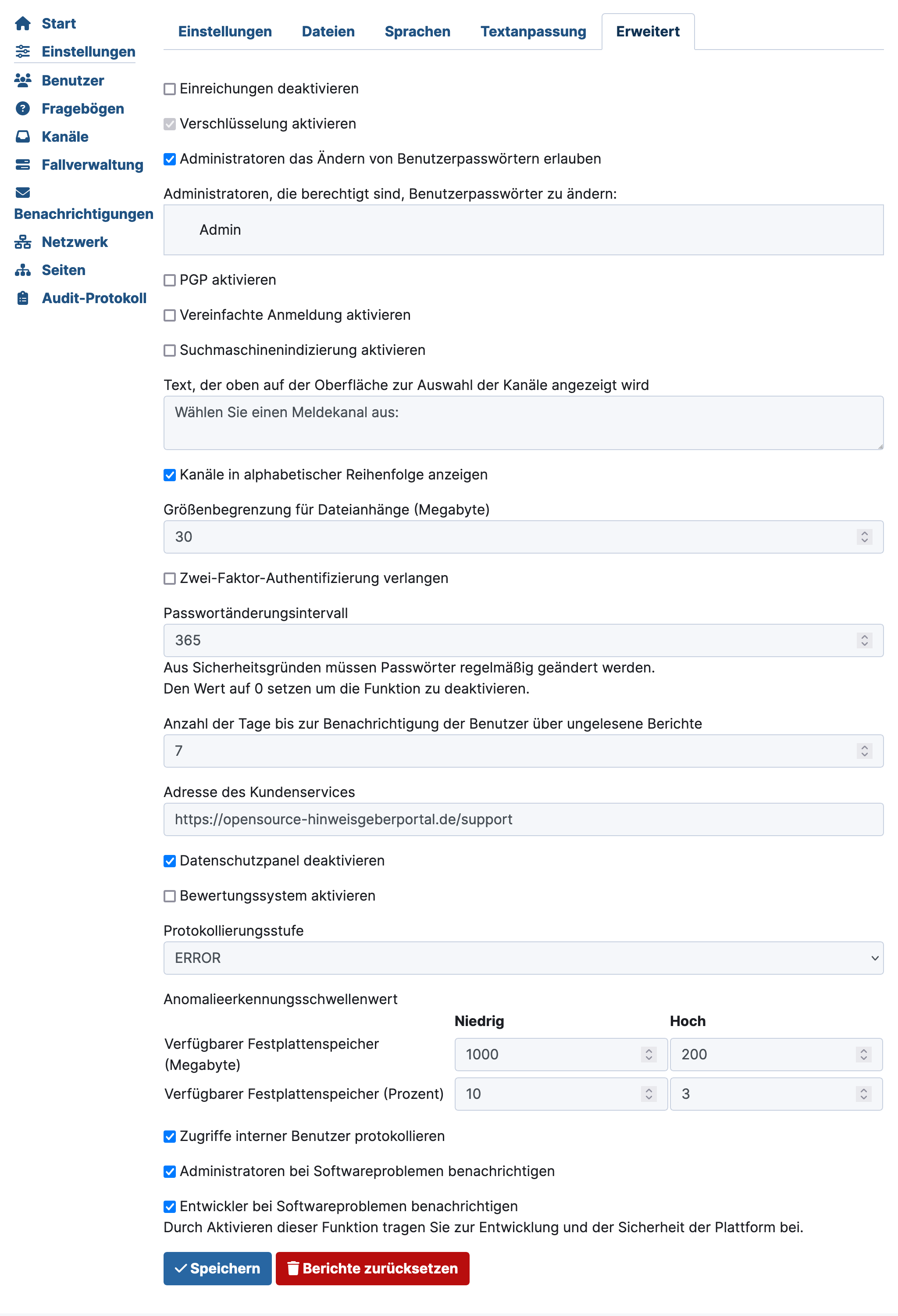
Advanced Settings in Detail
Some of these settings may be particularly interesting for you:
Disable Submissions
Hides the button for submitting new reports. The Disable Submissions feature is shown in detail on the next page.
Allow Administrators to Change User Passwords
Allows you to enable this feature and select the relevant admins.
Enable Search Engine Indexing
Allows search engines to list this GlobaLeaks page in search results.
Text for Channel Selection
If you use channels for branches/departments/etc., you can set the prompt text for channel selection in the field Text shown on top of the interface for selecting channels.
Remember to maintain this configuration in all other languages as well. More information can be found under Settings in Multiple Languages.
Change Maximum File Size for Attachments
Set the maximum file size for attachments in a report. This setting applies to
- the initial report and
- documents exchanged through the anonymous chat function.
Enforce Regular Password Changes
In the field Password change interval, set the number of days after which users must set a new password.
Users will be automatically prompted to do so after logging in.
Hide Tor Browser Notice
You can disable the notice about the Tor Browser on the homepage by selecting Disable the privacy panel. All information can be found under Hide Tor Notice.
Custom support URL
All information can be found under Set Support Address.
Notify Administrators about Software Issues
This option should remain enabled. Notifications will be sent via email.
Notify Developers about Software Issues
This option should remain enabled so that the GlobaLeaks community can identify problems and fix bugs more quickly.